Know what to buy for your business and keep selling when the internet drops
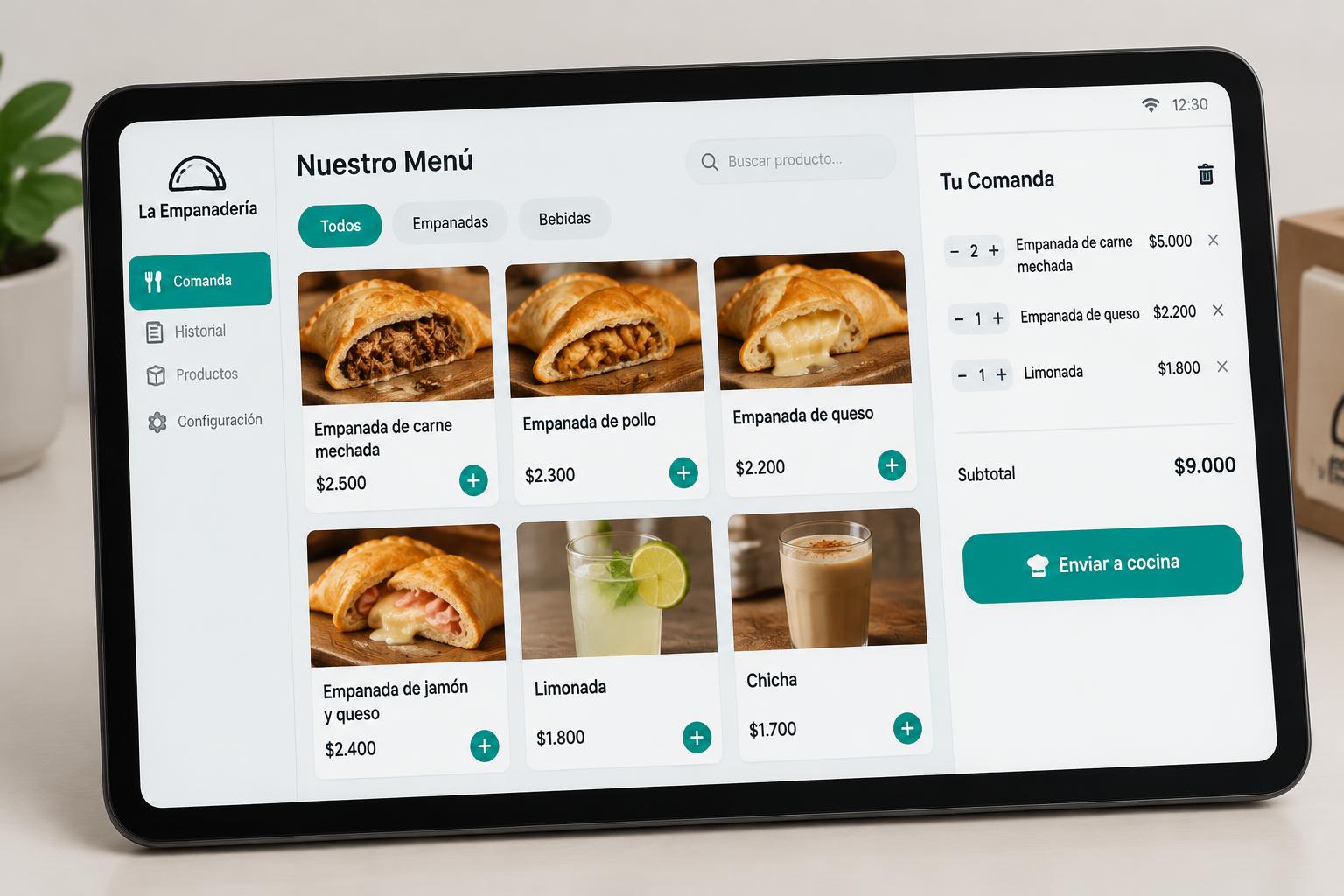
Orders, a kitchen screen and inventory that deducts itself by recipe. Tell it how much you'll sell and listo.menu gives you the shopping list. Simple: few screens, no training.
Demo with no time limit · No card · Activated on WhatsApp the same day
- No card
- Cancel anytime
Sound familiar?
Out of filling at rush hour
Nobody knew how much shredded beef was left until it was too late.
Guessing purchases for an event
A fair on Saturday and no idea how much beef, flour or cheese to buy.
No idea what each dish earns
Prices rise, costs change and the numbers never add up.
How it works
- 1
Add your supplies
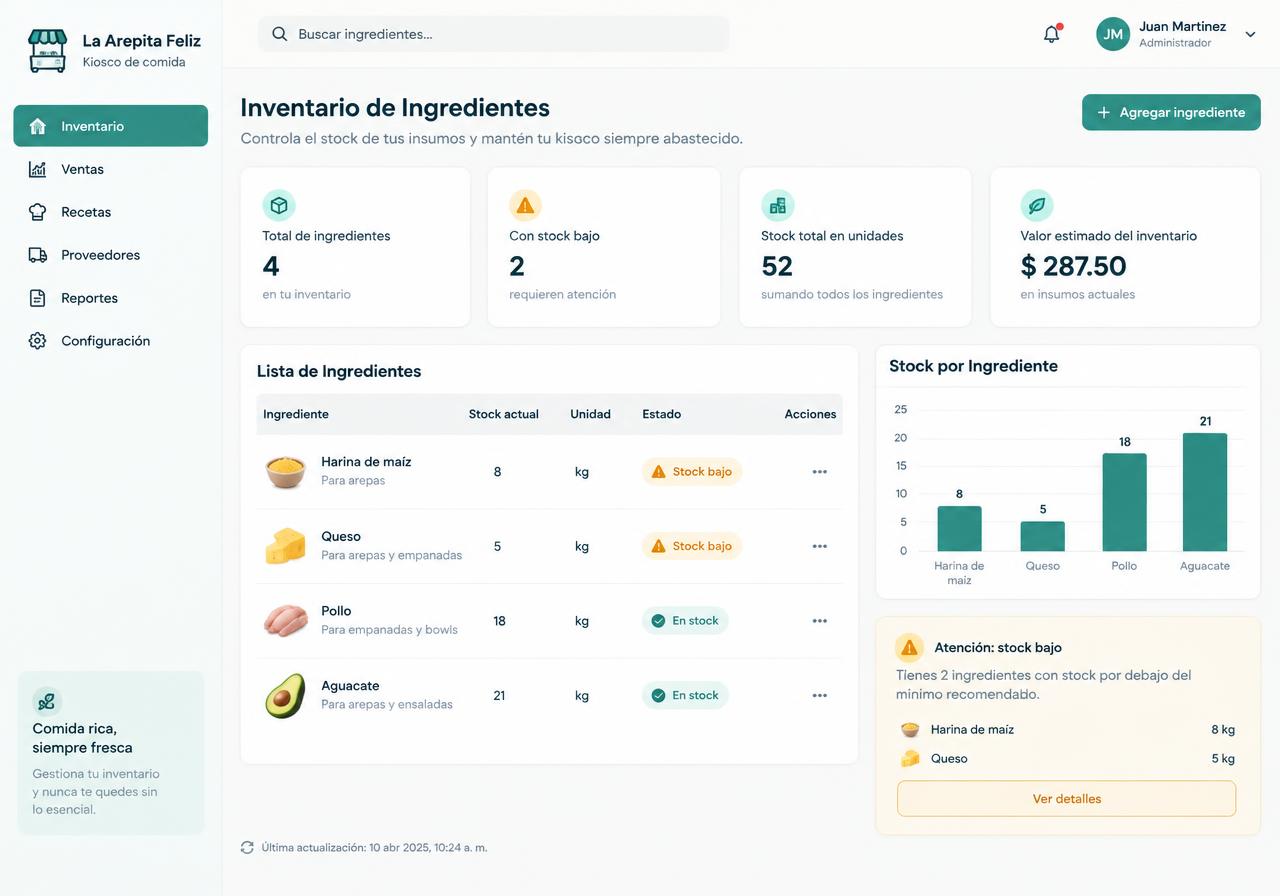
Flour, beef, chicken, cheese, garlic, packaging: everything you use is inventory.
- 2
Link each product to a recipe
A shredded-beef empanada uses 60 g dough and 50 g filling. The filling has its own recipe: beef, onion, pepper and garlic.
- 3
Take the order and cook
Each order lands on the kitchen board and deducts what was used. Your real stock, always.
How it works · Recipes and products
From ingredient to product: it starts with your recipe
Every product has a recipe with the quantities of inventory items it uses. Each sale becomes ingredients deducted from stock.
listo.menu
How it works · Recipes and products
Choose the ingredients
Selected: 0
Catalog (0)
- No products created
Temporary demo · Recipes and products disappear on reload.
Want to see it with your own recipes?
Try the demoEverything your business needs to keep serving
Orders in seconds
Take sales orders with per-unit changes: no onion, extra cheese, to go.
Kitchen kanban board
Each order item is a card that moves: to do, cooking, ready.
Automatic inventory
Stock is deducted by recipe on every sale or prep, with dated batches.
Cost and profit per dish
Recipes compute cost; you see price, profit and margin.
Recipes inside recipes
Fillings, sauces and doughs are preparations with their own recipe. Combos too.
Works offline
If the connection drops, orders are saved and synced when it's back.
Your kitchen on a board, item by item
Each order splits into its items and each one moves across columns. The kitchen sees work, not combos.
To do
2#14 · 2× Shredded-beef empanada
#15 · 1× Cheese empanada
Cooking
1#13 · 3× Chicken empanada · no onion
Ready
1#12 · 1× Shredded-beef empanada
Want to see it with your own recipes?
Try the demoPlan your sales and events: know what and how much to buy
A fair on Saturday or a busy payday week? Enter how many empanadas you expect to sell and listo.menu walks your recipes — fillings included — to give you the exact shopping list. Try it:
Shopping list
- Flour9 kg
- Oil0.75 L
- Beef4.8 kg
- Onion1.38 kg
- Bell pepper600 g
- Garlic200 g
- Chicken3.4 kg
- Cheese2 kg
Includes dough and fillings: shredded beef needs beef, onion, pepper and garlic.

Built for small, fast food businesses
- Food trucks
- Empanada stands & kiosks
- Street food
- Small restaurants
- Ghost kitchens
- Fairs & events
What you just tried is the app: simple on purpose
Many systems are built for big chains, with dozens of menus and settings. listo.menu is built for small and mid-sized food businesses.
| listo.menu | The usual | |
|---|---|---|
| Simple screens, no training | Yes | Complex menus |
| Kitchen screen included | Yes, from Starter | Paid add-on |
| Works without internet | Yes | Needs connection |
| Shopping list for fairs and events | Yes | No |
| Recipe-based inventory (with fillings) | Yes | Top plans only |
Simple plans, no surprises
Fixed monthly price. All included: kitchen screen and recipes at no extra cost, no add-on modules.
Starter
To get going with one point of sale.
Checking price…
- 3 devices and 3 users
- 3 roles: waiter (creates orders), cook and restaurant admin
- Orders and recipe-based inventory
- Kitchen screen
Business
For the business that never stops.
Checking price…
- Everything in Starter
- 10 devices and 10 users
- Production plan and shopping list
Enterprise
A solution tailored to your operation.
From
Checking price…
- Everything in Business
- Unlimited devices and users
- Roles, permissions and audit log
- Resilient on-site system: full operation independent of the internet
- Can include customizations and integrations with your existing systems
- Tablet, POS and order/kitchen printer sales and setup (hardware sold separately)
We'll define your solution on a call.
Schedule a callStart with the demo
No time limit: 1 user, 10 inventory items, 2 products and 2 recipes. Upgrade to a plan whenever you want.
Behind listo.menu
listo.menu is a kamansoft product: a team of engineers who understand your operation before building solutions. Business first. Engineers lead, AI assists, humans review the results. That's how we build simple tools to save time and reduce errors. On WhatsApp, you talk directly to the team building listo.menu. kamansoft.com
- Help with your initial setup
- Same-day reply
- Cancel anytime
Frequently asked questions
Do I need special hardware?
No. It runs in the browser on the phone, tablet or computer you already have.
What if the internet goes down?
Keep taking orders. They're stored on the device and synced when you're back online.
Can I sell when stock is at zero?
Yes. listo.menu warns you, lets the sale through, and you reconcile later.
Can I use it to plan an event or fair?
Yes. Enter how much you expect to sell and get the ingredient shopping list from your recipes.
Will you help me load my recipes?
Yes, we guide your initial setup over WhatsApp.
What does the demo include?
A real account with no time limit: 1 user, 10 inventory items, 2 products and 2 recipes. No card.
Does it issue tax invoices?
No. listo.menu runs your operation: orders, kitchen, inventory and purchasing. Keep invoicing with your current provider.
Does it process payments?
It's not a payment gateway. Soon you'll be able to record how each order was paid (cash, bank, wallets) and reconcile your cash drawers.
How long does it take to start?
You can have your demo the same day. We help you load your first items and recipes.
Ready to stop guessing?
Tell us about your business and we'll activate your demo today, no card.